
Skip to content

  • Dedicated Servers
    • Dedicated Servers
    • SSD Dedicated Servers
  • VPS Hosting
    • Cloud SSD VPS
    • Managed NVMe SSD VPS
    • Unmanaged Cloud VPS Servers
  • Shared Hosting
    • Linux Hosting
    • Windows Hosting
  • E-Mail
    • Hosted Email
    • Hosted OX App Suite
    • Google Workspace
    • Microsoft Office 365
    • Zoho Mail
    • Email Security
  • Backup
    • CDP Backup
    • Acronis Cloud Backup
    • Acronis Disaster Recovery
    • Website Backup
  • Security
    • Buy SSL Certificates
    • CodeGuard
    • SiteLock
    • DDoS protection
    • Digital Marketing
      • Order SEO Services
      • SEO Services
      • SMO Services

Tag: wp2shell

WordPress 7.0.3 Released: What the New High-Severity Login Vulnerability Means for Your Site

WordPress 7.0.3 Released: What the New High-Severity Login Vulnerability Means for Your Site

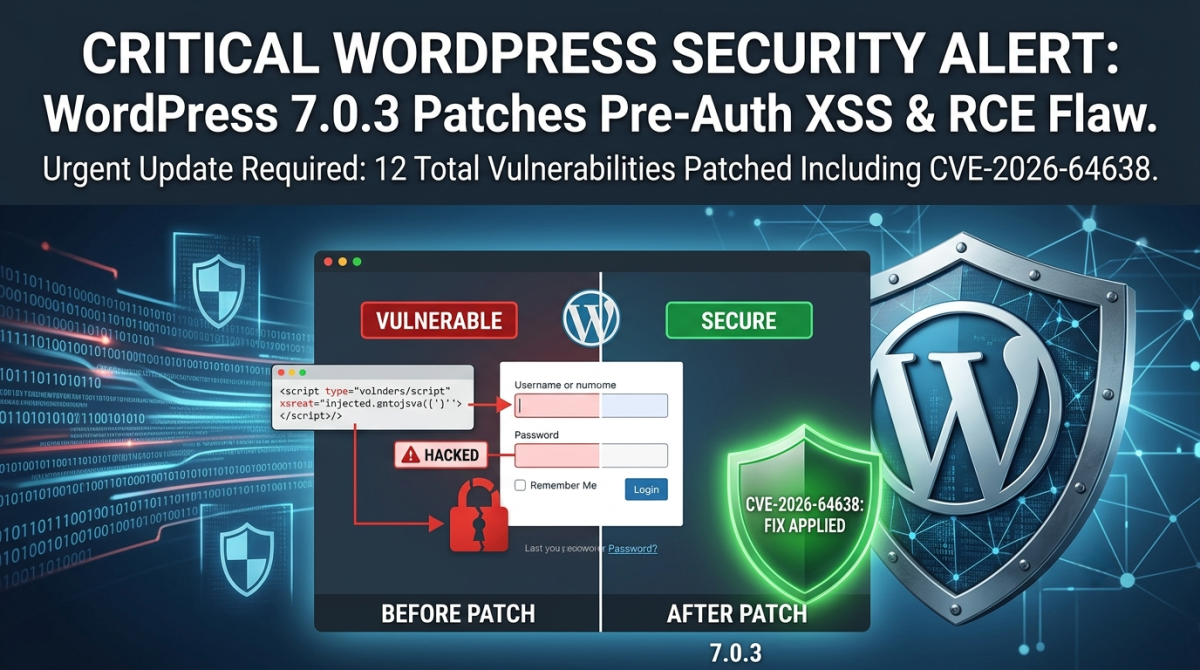
WordPress released version 7.0.3 on August 6, a security-only update that patches 12 vulnerabilities in core. The one getting the most attention is CVE-2026-64638, a high-severity, pre-authentication reflected cross-site scripting (XSS) flaw on the login screen that researchers have demonstrated can, under the right conditions, be chained into full remote code execution.

Equally concerning is the wp2shell vulnerability, which can allow attackers to escalate from seemingly minor weaknesses into direct shell access on the hosting environment. This means that beyond compromising a single site, attackers could potentially pivot into the broader server infrastructure, impacting multiple hosted WordPress instances.

Together, these flaws underscore the critical importance of keeping WordPress hosting environments patched and hardened. With WordPress powering nearly 40% of all websites, vulnerabilities of this scale have unusually wide reach. If you run a WordPress site—or manage several on behalf of clients—taking immediate action to update and review your hosting security posture is essential.

What Actually Makes This Vulnerability Dangerous

CVE-2026-64638 carries a CVSS score of 8.9. What stands out is where the flaw lives: the login page. An attacker does not need a username, a password, or any account on your site to trigger it. A specially crafted link is enough to fire the script in a visitor’s browser the moment the page loads.

That alone is serious. It gets more concerning when you look at how far security researchers at pwn.ai were able to push it. Their proof of concept found that if a logged-in WordPress Administrator can be lured into clicking one attacker-controlled link, and a handful of other conditions line up, the flaw can be chained all the way to uploading and running PHP code on the server. That is the kind of access that can expose database credentials, create new administrator accounts, and hand an attacker control of the underlying hosting environment.

It is worth being precise rather than alarmist here: the full chain to code execution depends on an administrator taking that one action, so it functions more like a targeted phishing attempt than an automatic, drive-by attack. The underlying XSS itself, on the other hand, needs no login and no interaction beyond loading a malicious link. As of this writing, WordPress’s advisory reports no known exploitation in the wild. That is good news today, but it rarely holds for long. Pre-auth flaws on login pages are exactly what automated scanners start probing for within hours of a public disclosure like this one.

The Other 11 Fixes

CVE-2026-64638 is the headline, but 7.0.3 is a genuinely broad security release. The remaining fixes cover:

    • Several stored XSS issues reachable by Contributor-level accounts, found in areas including the block editor and Quick Edit
    • A privilege escalation bug affecting multisite networks with open user registration
    • A handful of information disclosure and enumeration issues, including one that could expose comments left on password-protected posts
    • A CSS injection flaw available to Author-level accounts and above
    • A bypass in the email address confirmation flow
    • A server-side request forgery (SSRF) issue in how WordPress validates URLs

Individually, none of these carry the same urgency as the login-page flaw. Left unpatched, though, they are exactly the kind of issues that add up, particularly on sites with multiple contributors or open registration.

This Reaches Far More Than WordPress 7.0.x Sites

WordPress has backported these fixes to every branch still eligible for security support, reaching all the way back to version 4.7. If your site runs an older major version rather than 7.0, do not assume you are unaffected. Only the current release line receives ongoing support going forward, which is one more reason staying on a recent, actively maintained version is worth prioritizing.

How to Secure Your WordPress Site Today?

1. Back Up First

    • Take a full backup of site files and the database.
    • Use your hosting panel’s backup tool or a trusted plugin (e.g., UpdraftPlus, JetBackup).
    • Store a copy off‑site (cloud storage or local machine) to protect against hosting compromise.

2. Verify Your Current Version

    • Log into Dashboard > Updates or check the footer of the admin panel.
    • Ensure you’re running WordPress 7.0.3 or later.

3. Apply the Latest Security Patch

    • If automatic background updates are enabled, confirm the patch applied.
    • Otherwise, update manually via the dashboard or download directly from WordPress.org.
    • For managed hosting, confirm your provider has rolled out the patch across all accounts.

4. Review Plugins and Themes

    • Update all plugins and themes — many authors release fixes in response to core vulnerabilities.
    • Remove unused or abandoned plugins/themes to reduce attack surface.
    • Prefer plugins with active maintenance and strong community trust.

5. Harden Against wp2shell Exploits

    • wp2shell can escalate minor flaws into direct shell access.
    • Disable PHP execution in wp-content/uploads and other writable directories.
    • Restrict file permissions:
      • wp-config.php → 400 or 440
      • Directories → 755
      • Files → 644
    • Use Web Application Firewall (WAF) rules to block suspicious requests.

6. Secure Authentication

    • Enforce strong passwords and enable two‑factor authentication (2FA) for all admin accounts.
    • Limit login attempts and enable CAPTCHA on login forms.
    • Regularly audit user roles — remove unused accounts, especially with admin privileges.

7. Monitor for Intrusions

    • Enable server‑side logging and review logs for unusual activity.
    • Use security plugins like Wordfence, iThemes Security, or Sucuri to detect file changes and malicious code.
    • Set up alerts for unauthorized modifications.

8. Isolate Hosting Environments

    • If you manage multiple client sites, avoid hosting them all on the same VPS without isolation.
    • Use containerization (Docker, LXD) or separate accounts to prevent cross‑site contamination.
    • Consider managed WordPress hosting with built‑in isolation and patch management.

9. Regular Security Audits

    • Schedule monthly scans for malware and vulnerabilities.
    • Test backups by restoring them in a staging environment.
    • Keep track of CVEs (like CVE‑2026‑64638) and act quickly when new patches are released.

Need a Hand?

Patching core is only one part of keeping a WordPress site secure, and it can get complicated fast when you are managing several sites, a live production environment, or a codebase someone else built. That is where we come in.

Systron’s managed infrastructure and security services can help with:

  • Emergency update support. If you run into trouble updating to 7.0.3, our technical team can apply the patch safely with zero downtime.
  • Security and vulnerability audits. We review your application, plugins, and hosting environment for signs of compromise or leftover risk.
  • Web application firewalling. A properly configured WAF adds a layer of protection for your login pages and REST API endpoints against exactly this kind of pre-auth attack.

If you are not sure which WordPress version you are running, or you would simply rather have an expert handle the update on a production environment, reach out to the Systron support team today.

Further Reading

  • WordPress 7.0.3 official release notes
Author Bill TranchoisPosted on August 7, 2026August 7, 2026Categories Security, Threat Intelligence, Website, WordPress SecurityTags CVE-2026-64638, login screen XSS flaw, WordPress 7.0.3, wp2shell

RSS RSS Feed

  • Beyond the Server Room: 5 Surprising Lessons from Three Decades in the Hosting Trenches April 27, 2026
    The post Beyond the Server Room: 5 Surprising Lessons from Three Decades in the Hosting Trenches appeared first on . Introduction: The Quiet Architects of the Digital Age The technology industry is notoriously volatile, a landscape defined by the “flash-in-the-pan” success of startups that burn brightly for eighteen months before vanishing into the digital graveyard. […]
  • The Ultimate Guide to E-commerce Success: Unpacking the Pillars of High-Growth Shopify Architecture April 14, 2026
    The post The Ultimate Guide to E-commerce Success: Unpacking the Pillars of High-Growth Shopify Architecture appeared first on . Navigating the Shopify Ecosystem: A Beginner’s Map To understand Shopify is to understand the architecture of modern retail. In the e-commerce realm, Shopify stands as the premier software environment for hundreds of thousands of brands globally. […]
  • AI-Powered Cloud Security: Key Trends Shaping 2026 February 16, 2026
    The post AI-Powered Cloud Security: Key Trends Shaping 2026 appeared first on . AI-Powered Cloud Security: Key Trends Shaping 2026 In the ever-evolving landscape of digital infrastructure, cloud computing continues to be the backbone of modern businesses. As we step into 2026, the integration of artificial intelligence (AI) with cloud security is not just a […]
  • Zero-Trust Cloud Security Roadmap for Small and Mid-Sized Businesses in 2026 February 10, 2026
    The post Zero-Trust Cloud Security Roadmap for Small and Mid-Sized Businesses in 2026 appeared first on . Zero-Trust Cloud Security Roadmap for Small and Mid-Sized Businesses in 2026 Zero-trust has moved from buzzword to baseline expectation in cloud security by 2026, especially for small and mid-sized businesses that rely heavily on SaaS, VPS, and public […]
  • SSL API 2.0: The Complete Guide to Modern Certificate Automation February 2, 2026
    The post SSL API 2.0: The Complete Guide to Modern Certificate Automation appeared first on . SSL API 2.0: The Complete Guide to Modern Certificate Automation In today’s fast-paced digital landscape, managing SSL/TLS certificates manually is no longer feasible. SSL API 2.0 emerges as the critical answer, transforming certificate lifecycle management from a cumbersome administrative […]
  • New .IN Domain Registration Rules 2026: NIXI e-KYC & Verification Guide January 26, 2026
    The post New .IN Domain Registration Rules 2026: NIXI e-KYC & Verification Guide appeared first on . NIXI 2026 Update: New Verification Rules for .IN Domain Registrations The landscape of Indian digital identity has shifted significantly in 2026. The National Internet Exchange of India (NIXI) has officially implemented streamlined but stricter protocols for all .IN […]
  • The Future of Cloud Computing in 2026: A Strategic Guide for Modern Enterprises January 20, 2026
    The post The Future of Cloud Computing in 2026: A Strategic Guide for Modern Enterprises appeared first on . The Future of Cloud Computing in 2026: A Strategic Guide for Modern Enterprises As we navigate 2026, cloud computing has transitioned from a technical “option” to the non-negotiable backbone of global business. According to recent Gartner […]
  • FrankenPHP vs PHP-FPM: Which One Should You Use? January 12, 2026
    The post FrankenPHP vs PHP-FPM: Which One Should You Use? appeared first on . FrankenPHP vs PHP-FPM: A Practical Comparison for Modern PHP Hosting FrankenPHP and PHP-FPM both execute PHP, but they follow very different architectures and operational models that directly affect performance, deployment simplicity, and how you design your applications. Understanding these differences helps […]
  • Compression Dictionary Transport: The Future of Web Performance December 18, 2025
    The post Compression Dictionary Transport: The Future of Web Performance appeared first on . In the ever-evolving landscape of web performance, every byte counts. As websites grow more complex with dynamic content, JavaScript bundles, and personalized data, optimizing payload sizes becomes crucial for faster load times and better user experiences. Enter Compression Dictionary Transport (hereinafter […]
  • PHP 8.5 Released: Key Features, Changes, and Upgrade Guide December 10, 2025
    The post PHP 8.5 Released: Key Features, Changes, and Upgrade Guide appeared first on . PHP 8.5 Released: Key Features, Changes, and Upgrade Guide PHP 8.5 was officially released in November 2025, continuing the steady evolution of the language with a strong focus on developer experience, readability, and better diagnostics. Excitingly, Systron.net has already rolled […]

Recent Posts

  • WordPress 7.0.3 Released: What the New High-Severity Login Vulnerability Means for Your Site
  • Beyond the Server Room: 5 Surprising Lessons from Three Decades in the Hosting Trenches
  • The Ultimate Guide to E-commerce Success: Unpacking the Pillars of High-Growth Shopify Architecture
  • AI-Powered Cloud Security: Key Trends Shaping 2026
  • Zero-Trust Cloud Security Roadmap for Small and Mid-Sized Businesses in 2026
  • Dedicated Servers
    • Dedicated Servers
    • SSD Dedicated Servers
  • VPS Hosting
    • Cloud SSD VPS
    • Managed NVMe SSD VPS
    • Unmanaged Cloud VPS Servers
  • Shared Hosting
    • Linux Hosting
    • Windows Hosting
  • E-Mail
    • Hosted Email
    • Hosted OX App Suite
    • Google Workspace
    • Microsoft Office 365
    • Zoho Mail
    • Email Security
  • Backup
    • CDP Backup
    • Acronis Cloud Backup
    • Acronis Disaster Recovery
    • Website Backup
  • Security
    • Buy SSL Certificates
    • CodeGuard
    • SiteLock
    • DDoS protection
    • Digital Marketing
      • Order SEO Services
      • SEO Services
      • SMO Services
Proudly powered by WordPress