
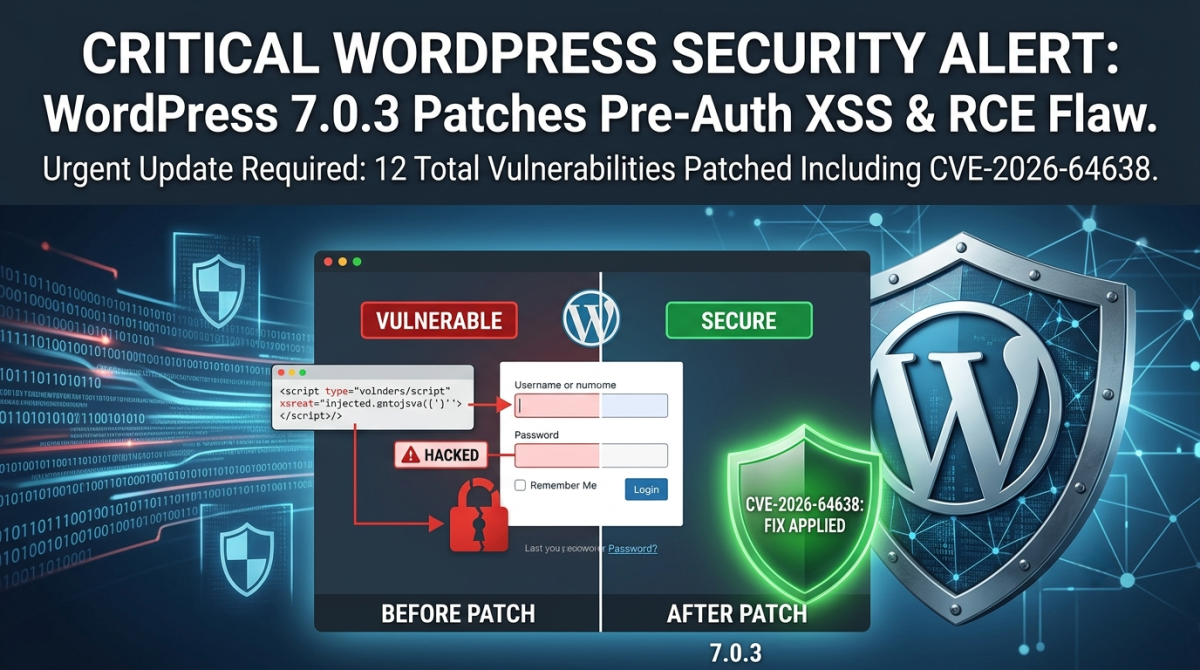
WordPress released version 7.0.3 on August 6, a security-only update that patches 12 vulnerabilities in core. The one getting the most attention is CVE-2026-64638, a high-severity, pre-authentication reflected cross-site scripting (XSS) flaw on the login screen that researchers have demonstrated can, under the right conditions, be chained into full remote code execution.
Equally concerning is the wp2shell vulnerability, which can allow attackers to escalate from seemingly minor weaknesses into direct shell access on the hosting environment. This means that beyond compromising a single site, attackers could potentially pivot into the broader server infrastructure, impacting multiple hosted WordPress instances.
Together, these flaws underscore the critical importance of keeping WordPress hosting environments patched and hardened. With WordPress powering nearly 40% of all websites, vulnerabilities of this scale have unusually wide reach. If you run a WordPress site—or manage several on behalf of clients—taking immediate action to update and review your hosting security posture is essential.
What Actually Makes This Vulnerability Dangerous
CVE-2026-64638 carries a CVSS score of 8.9. What stands out is where the flaw lives: the login page. An attacker does not need a username, a password, or any account on your site to trigger it. A specially crafted link is enough to fire the script in a visitor’s browser the moment the page loads.
That alone is serious. It gets more concerning when you look at how far security researchers at pwn.ai were able to push it. Their proof of concept found that if a logged-in WordPress Administrator can be lured into clicking one attacker-controlled link, and a handful of other conditions line up, the flaw can be chained all the way to uploading and running PHP code on the server. That is the kind of access that can expose database credentials, create new administrator accounts, and hand an attacker control of the underlying hosting environment.
It is worth being precise rather than alarmist here: the full chain to code execution depends on an administrator taking that one action, so it functions more like a targeted phishing attempt than an automatic, drive-by attack. The underlying XSS itself, on the other hand, needs no login and no interaction beyond loading a malicious link. As of this writing, WordPress’s advisory reports no known exploitation in the wild. That is good news today, but it rarely holds for long. Pre-auth flaws on login pages are exactly what automated scanners start probing for within hours of a public disclosure like this one.
The Other 11 Fixes
CVE-2026-64638 is the headline, but 7.0.3 is a genuinely broad security release. The remaining fixes cover:
-
- Several stored XSS issues reachable by Contributor-level accounts, found in areas including the block editor and Quick Edit
- A privilege escalation bug affecting multisite networks with open user registration
- A handful of information disclosure and enumeration issues, including one that could expose comments left on password-protected posts
- A CSS injection flaw available to Author-level accounts and above
- A bypass in the email address confirmation flow
- A server-side request forgery (SSRF) issue in how WordPress validates URLs
Individually, none of these carry the same urgency as the login-page flaw. Left unpatched, though, they are exactly the kind of issues that add up, particularly on sites with multiple contributors or open registration.
This Reaches Far More Than WordPress 7.0.x Sites
WordPress has backported these fixes to every branch still eligible for security support, reaching all the way back to version 4.7. If your site runs an older major version rather than 7.0, do not assume you are unaffected. Only the current release line receives ongoing support going forward, which is one more reason staying on a recent, actively maintained version is worth prioritizing.
How to Secure Your WordPress Site Today?
1. Back Up First
-
- Take a full backup of site files and the database.
- Use your hosting panel’s backup tool or a trusted plugin (e.g., UpdraftPlus, JetBackup).
- Store a copy off‑site (cloud storage or local machine) to protect against hosting compromise.
2. Verify Your Current Version
-
- Log into Dashboard > Updates or check the footer of the admin panel.
- Ensure you’re running WordPress 7.0.3 or later.
3. Apply the Latest Security Patch
-
- If automatic background updates are enabled, confirm the patch applied.
- Otherwise, update manually via the dashboard or download directly from WordPress.org.
- For managed hosting, confirm your provider has rolled out the patch across all accounts.
4. Review Plugins and Themes
-
- Update all plugins and themes — many authors release fixes in response to core vulnerabilities.
- Remove unused or abandoned plugins/themes to reduce attack surface.
- Prefer plugins with active maintenance and strong community trust.
5. Harden Against wp2shell Exploits
-
- wp2shell can escalate minor flaws into direct shell access.
- Disable PHP execution in
wp-content/uploadsand other writable directories. - Restrict file permissions:
wp-config.php→ 400 or 440- Directories → 755
- Files → 644
- Use Web Application Firewall (WAF) rules to block suspicious requests.
6. Secure Authentication
-
- Enforce strong passwords and enable two‑factor authentication (2FA) for all admin accounts.
- Limit login attempts and enable CAPTCHA on login forms.
- Regularly audit user roles — remove unused accounts, especially with admin privileges.
7. Monitor for Intrusions
8. Isolate Hosting Environments
-
- If you manage multiple client sites, avoid hosting them all on the same VPS without isolation.
- Use containerization (Docker, LXD) or separate accounts to prevent cross‑site contamination.
- Consider managed WordPress hosting with built‑in isolation and patch management.
9. Regular Security Audits
-
- Schedule monthly scans for malware and vulnerabilities.
- Test backups by restoring them in a staging environment.
- Keep track of CVEs (like CVE‑2026‑64638) and act quickly when new patches are released.
Need a Hand?
Patching core is only one part of keeping a WordPress site secure, and it can get complicated fast when you are managing several sites, a live production environment, or a codebase someone else built. That is where we come in.
Systron’s managed infrastructure and security services can help with:
- Emergency update support. If you run into trouble updating to 7.0.3, our technical team can apply the patch safely with zero downtime.
- Security and vulnerability audits. We review your application, plugins, and hosting environment for signs of compromise or leftover risk.
- Web application firewalling. A properly configured WAF adds a layer of protection for your login pages and REST API endpoints against exactly this kind of pre-auth attack.
If you are not sure which WordPress version you are running, or you would simply rather have an expert handle the update on a production environment, reach out to the Systron support team today.